
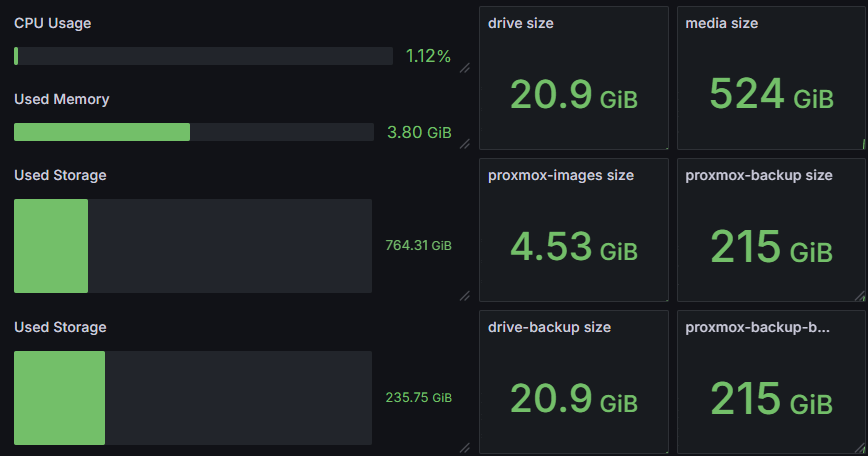
I want to set up a Grafana dashboard for monitoring my homelab resource usage. Since Proxmox has integrated support for InfluxDB2, I am already hosting Grafana + InfluxDB2, and I would like to integrate my TrueNAS SCALE system into the same logging. Sadly, there is not much documentation for how to set this up. Initially, I got it sort of working by running telegraf from the InfluxDB2 LXC (on a proxmox host), and registering a Graphite exporter in TrueNAS. I didn’t really like this setup, since it doesn’t really seem to be the way Telegraf is supposed to be used. If you want to do it this way, see this forum comment.
I mainly followed the discussion in this Reddit post, with some minor fixes / changes to get everything working. The post itself is kind of concise, so I will elaborate a bit more on what to do.
- Create a dataset on your TrueNAS system which will store (read-only) files for telegraf (mainly telegraf.conf and docker setup/entrypoint scripts). For me, this was
/mnt/usb-pool/telegraf(I used usb-pool because I didn’t partition my boot SSD before installing, and I didn’t want apps to run on HDDs).- Optional: Create an NFS share for it so we can initialize the files we need from a Linux system, though you can also do it from a shell on your TrueNAS host. I found the web shell is rather annoying with copy/pasting, and I didn’t have SSH configured, so I just did it this way.
- In the dataset, create a file
telegraf.confwith the following contents (replace thehostnamewith whatever you want (I didtruenas) and set the influxdb_v2 values (the influxdb host IP, token, organization and bucket)):
[global_tags]

[agent]
    interval = "10s"
    round_interval = true
    metric_batch_size = 1000
    metric_buffer_limit = 10000
    collection_jitter = "0s"
    flush_interval = "10s"
    flush_jitter = "0s"
    precision = ""
    hostname = "your_host_name"
    omit_hostname = false
[[outputs.influxdb_v2]]
    urls = ["http://your_ip:8086"]
    token = "your_token"
    organization = "your_organization"
    bucket = "your_bucket"
[[inputs.cpu]]
    percpu = true
    totalcpu = true
    collect_cpu_time = false
    report_active = false
[[inputs.diskio]]
[[inputs.kernel]]
[[inputs.mem]]
[[inputs.swap]]
[[inputs.system]]
[[inputs.net]]
[[inputs.sensors]]
[[inputs.execd]]
    command = ["/mnt/zfs_libs/zpool_influxdb", "--execd"]
    environment = ["LD_LIBRARY_PATH=/mnt/zfs_libs"]
    signal = "STDIN"
    restart_delay = "10s"
    data_format = "influx"
[[inputs.zfs]]
    kstatPath = "/hostfs/proc/spl/kstat/zfs"
    poolMetrics = true
    datasetMetrics = true
[[inputs.smart]]
    timeout = "30s"
    attributes = true
    use_sudo = true
[[inputs.exec]]
    commands = ["/zfs_dataset_stats.sh"]
    data_format = "influx"
interval = "60s"- Create an
entrypoint.shfile with the following contents:
#!/bin/bash

apt update
apt install -y sudo smartmontools nvme-cli

echo "telegraf ALL=NOPASSWD:/usr/sbin/smartctl" >> /etc/sudoers
echo "telegraf ALL = NOPASSWD: /mnt/zfs_libs/zpool_influxdb" >> /etc/sudoers
echo "Defaults:telegraf !requiretty, !syslog" >> /etc/sudoers

export PATH="/mnt/zfs_libs:$PATH"

set -e
if [ "${1:0:1}" = '-' ]; then
set -- telegraf "$@"
fi

if [ $EUID -ne 0 ]; then
exec "$@"
else
setcap cap_net_raw,cap_net_bind_service+ep /usr/bin/telegraf || echo "Failed to set additional capabilities on /usr/bin/telegraf"
exec setpriv --reuid telegraf --init-groups "$@"
fi

ldconfig

echo "Custom Entrypoint Startup Complete"- Make the script executable by running
chmod +x entrypoint.sh. - Create a script
zfs_dataset_stats.shwith the following contents:
#!/bin/bash

ZFS_BIN=/host_sbin/zfs

$ZFS_BIN list -Hp -o name,used,avail | awk '
BEGIN {print ""}
NR>1 {
  printf "zfs_dataset,name=%s used=%s,avail=%s\n", $1, $2, $3
}'- Make the script executable by running
chmod +x zfs_dataset_stats.sh. This script will gather dataset-level information about used / available space. It will need a mount of/sbinto acces zfs. - Create a
setup.shscript with the following contents, and make it executable withchmod +x setup.sh.- Note: Some paths are updated from the original script in the post. Mainly, the
libzfs.so,libcrypto.soandzpool_influxdbpaths. It may be the case that on later versions of TrueNAS SCALE, these files are renamed / moved. Thezpool_influxdbfile was really moved, but the so’s just had newer versions. If you run this script at a later stage and you find that it tells you it is missing files, simply go to the directory and try to find the newer version, so you can update the path in the script.
- Note: Some paths are updated from the original script in the post. Mainly, the
#!/bin/bash

current_dir=`pwd`

mkdir $current_dir/zfs_libs

cp /lib/x86_64-linux-gnu/libnvpair.so.3 $current_dir/zfs_libs/
cp /lib/x86_64-linux-gnu/libzfs.so.6 $current_dir/zfs_libs/
cp /lib/x86_64-linux-gnu/libbsd.so.0 $current_dir/zfs_libs/
cp /lib/x86_64-linux-gnu/libc.so.6 $current_dir/zfs_libs/
cp /lib/x86_64-linux-gnu/libzfs_core.so.3 $current_dir/zfs_libs/
cp /lib/x86_64-linux-gnu/libuutil.so.3 $current_dir/zfs_libs/
cp /lib/x86_64-linux-gnu/libm.so.6 $current_dir/zfs_libs/
cp /lib/x86_64-linux-gnu/libcrypto.so.3 $current_dir/zfs_libs/
cp /lib/x86_64-linux-gnu/libz.so.1 $current_dir/zfs_libs/
cp /lib/x86_64-linux-gnu/libpthread.so.0 $current_dir/zfs_libs/
cp /lib/x86_64-linux-gnu/libdl.so.2 $current_dir/zfs_libs/
cp /lib/x86_64-linux-gnu/libmd.so.0 $current_dir/zfs_libs/
cp /lib64/ld-linux-x86-64.so.2 $current_dir/zfs_libs/
cp /lib/x86_64-linux-gnu/libuuid.so.1 $current_dir/zfs_libs/
cp /lib/x86_64-linux-gnu/librt.so.1 $current_dir/zfs_libs/
cp /lib/x86_64-linux-gnu/libblkid.so.1 $current_dir/zfs_libs/
cp /lib/x86_64-linux-gnu/libudev.so.1 $current_dir/zfs_libs/
cp /usr/lib/zfs-linux/zpool_influxdb $current_dir/zfs_libs/

chown -R 0:0 $current_dir
chmod -R 777 $current_dir

ln -s /etc $current_dir/etc
ln -s /proc $current_dir/proc
ln -s /sys $current_dir/sys
ln -s /var $current_dir/var
ln -s /run $current_dir/run- Run
setup.sh(after making it executable). You can still do this from another Linux machine if you decided to mount the dataset as an NFS share. If this succeeds you are ready to add the telegraf application from the TrueNAS GUI. - We now need to create the Telegraf application. The easiest way of doing this is by going to Apps > Discover Apps > Install via YAML (where this last option is in the three-dot menu on the top right hand side of the screen). Paste the following YAML (replacing
/mnt/usb-pool/telegrafwith whatever dataset path you put your telegraf config files):- Note: This YAML varies slightly from the YAML in the top comment, where the user was also monitoring GPU usage it seems, and the zfs_tools path was invalid. Also the latest telegraf image was taken, and no extra deploy options were needed (as I am not doing anything with the GPU).
services:
  telegraf:
    container_name: telegraf
    environment:
      - HOST_ETC=/hostfs/etc
      - HOST_PROC=/hostfs/proc
      - HOST_SYS=/hostfs/sys
      - HOST_VAR=/hostfs/var
      - HOST_RUN=/hostfs/run
      - HOST_MOUNT_PREFIX=/hostfs
      - LD_LIBRARY_PATH=/mnt/zfs_libs
      - HOST_ROOT=/hostfs/
      - HOST_MNT=/hostfs/mnt
    image: docker.io/telegraf:latest
    ports:
      - '10000:10000'
    privileged: True
    restart: unless-stopped
    volumes:
      - /sbin:/host_sbin:ro
      - /mnt/usb-pool/telegraf/telegraf.conf:/etc/telegraf/telegraf.conf
      - /mnt/usb-pool/telegraf/etc:/hostfs/etc:ro
      - /mnt/usb-pool/telegraf/proc:/hostfs/proc:ro
      - /mnt/usb-pool/telegraf/sys:/hostfs/sys:ro
      - /mnt/usb-pool/telegraf/run:/hostfs/run:ro
      - /mnt/usb-pool/telegraf/entrypoint.sh:/entrypoint.sh
      - /mnt/usb-pool/telegraf/zfs_dataset_stats.sh:/zfs_dataset_stats.sh
      - /mnt/usb-pool/telegraf/zfs_libs:/mnt/zfs_libs
      - /mnt/usb-pool/telegraf/var:/hostfs/var:ro
      - /mnt/usb-pool/telegraf/mnt:/hostfs/mnt:ro
- Now simply start your app, and it should run! In the logs, telegraf complained about not being able to get disk names for their
sdX-based names. This didn’t really seem to be a problem, as I was able to see disk stats based on the serial numbers anyway, and I am mostly interested in the ZFS pool data.